
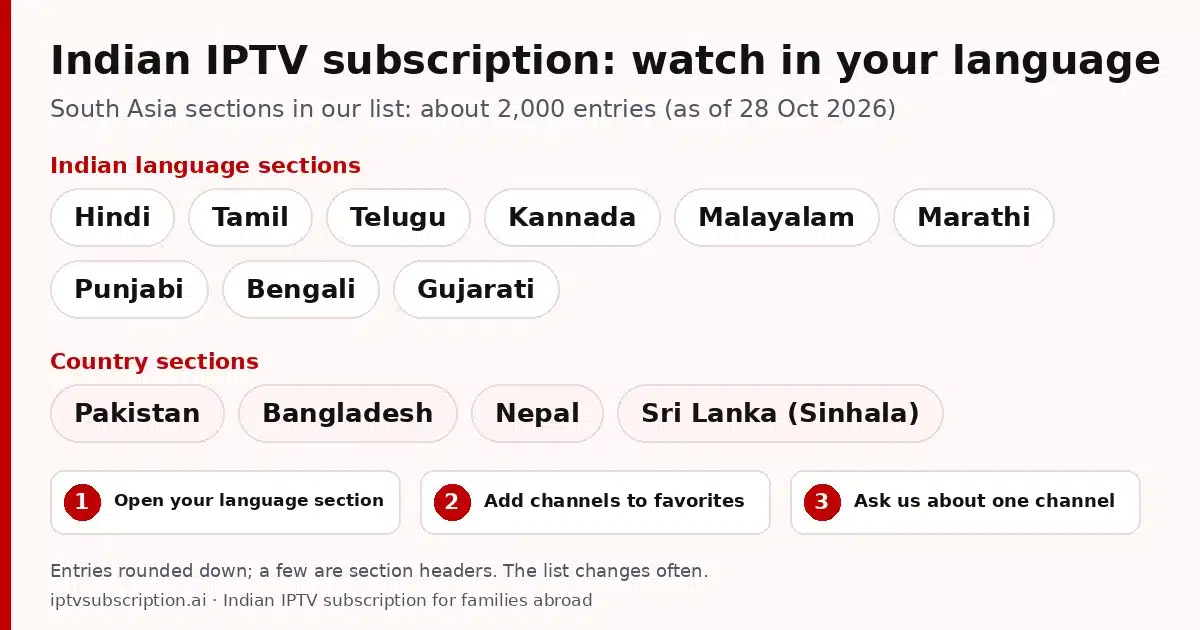
Quick answer: an Indian IPTV subscription from us is one plan with our whole channel list, including a South Asia part with about 2,000 entries (as of 28 Oct 2026) in language sections such as Hindi, Tamil, Telugu, Punjabi and Bengali, plus sections for Pakistan, Bangladesh, Nepal and Sri Lanka. It runs on Firestick, Smart TVs, Apple TV, Roku (with Hot Player) and phones, and plans start at $14. Looking for one channel? Ask us on WhatsApp before you buy.
Disclosure: we sell IPTV subscriptions and Hot Player activations, so we point to our own plans on this page. GoTo Player activations are sold on gotoiptv.com, where our checkout runs. The section sizes come from the channel data of the provider behind our plans, read on 28 Oct 2026.
Table of Contents
Moving abroad does not have to mean giving up TV in your own language. If you live in the USA, the UK, Canada or Australia and want an IPTV subscription for Indian channels, this page shows what our list has for you, how to find your language in a player app, which devices work and what it costs. New to IPTV? Our guide on what IPTV is and how it works covers the basics first.
What the South Asia section of our Indian IPTV subscription includes
These numbers come from the channel data of the provider behind our plans, read on 28 Oct 2026. They are rounded down, a few entries are section headers rather than channels, and the list changes often, so read them as a snapshot, not a promise:
| Part of the list | As of 28 Oct 2026 |
|---|---|
| South Asia, all sections together | about 2,000 entries |
| Indian language sections | Hindi, Tamil, Telugu, Kannada, Malayalam, Marathi, Punjabi, Bengali, Gujarati |
| Country sections | Pakistan, Bangladesh, Nepal, Sri Lanka (Sinhala) |
| The whole list, included in every plan | about 38,100 live entries |
Every plan includes the whole list, not only the South Asia part. That matters for families abroad: the same login also opens the sections of the country you live in, for example the USA (about 5,900 entries), the United Kingdom (about 1,600) or Canada (about 600). Our IPTV channel list shows all sections and their sizes on one page.
Already a customer? On our customize page you can tick the country groups you watch, South Asia included, and send one request.
Looking for one channel? Ask before you buy
We do not list channel names here and we do not promise any single channel, show or event: channels in a list can move, change or drop out. If one channel matters to your family, send us its name on WhatsApp before you pay for your Indian IPTV subscription. Tell us:
- the channel name as you know it,
- the language or country, for example Malayalam or Nepal,
- the device you will watch on, so we can suggest the right app.
We check the current list and tell you honestly whether it is there today.
Who it is for: South Asian families abroad
Our Indian IPTV subscription is made for homes where someone wants TV from back home, in the language they grew up with:
- Families who moved abroad and want TV in Hindi, Tamil, Malayalam, Punjabi or another home language.
- Parents and grandparents, including visiting relatives, who feel more at home with programs in their own language.
- Children growing up abroad, who can hear the family language on TV as well as at the dinner table.
- Families from Pakistan, Bangladesh, Nepal and Sri Lanka, who have their own country sections in the same list.
- Mixed households, where one person watches in Bengali, another in Gujarati and the children in English: one plan includes all of these sections.
There is no single best Indian IPTV subscription for every family. The best one for yours has sections in your languages, works on the devices you own, takes a payment method you can use and has a real person who answers when you are stuck. Check those four things with any provider before you pay.
Living in the US? Our IPTV USA guide covers the US part of the list, local stations by city and US payment in more detail.
Time zones: live means live
Live channels show what is on air in their home country right now. South Asia is several hours ahead of the UK and around half a day ahead of North America, while eastern Australia is a few hours ahead of South Asia. So the evening shows at home usually air in the morning in North America, in the afternoon in the UK and around midnight in eastern Australia.
If your app shows a TV guide for a channel, it usually displays the times in your device’s local time. Set the correct time zone on your TV or streaming stick first, then check a few programs to make sure the times look right.
Watching in your language: sections and favorites
In a player app, a big channel list is not one long scroll. It is split into sections, which some apps call groups or categories. The South Asia part of our list is split by language and by country, so each language has its own section. Here is how to reach your channels quickly:
- Open the live TV area of your app and scroll through the section list until you see your language, for example Tamil or Punjabi.
- Search when you know the name. Most apps have a search box: type a few letters of the channel name.
- Add your channels to favorites. In many apps you long-press the OK button or open the channel menu and choose favorites. The exact steps differ from app to app.
- Hide what you never watch. Many apps let you hide or reorder sections, so the list starts with the languages your family uses.
- Check again after list updates. Section names and their order can change. If something seems to have moved, search for it or ask us.
When two people at home watch different languages, favorites save both of them a lot of scrolling. For setup steps in a specific app, see our guides for TiviMate, IPTV Smarters and Hot Player.
Devices you can use at home
You probably already own a device that works with an Indian IPTV subscription. Every plan supports Xtream Codes, M3U and MAC-based apps, so you can choose the right player for each screen in the house:
- Amazon Firestick and Fire TV: most players are installed with the Downloader app (for Hot Player the Downloader code is 395800). Guides: best IPTV for Firestick and Hot Player on Firestick. Device details: Amazon Fire TV.
- Android TV and Google TV boxes: TV-friendly apps such as TiviMate or Hot Player. See our best IPTV box guide if you are choosing a new box.
- Apple TV: install a tvOS IPTV player from the App Store on the Apple TV itself. Our best IPTV app for Apple TV guide compares the options.
- Samsung and LG Smart TVs: apps come from the TV’s own store, and Hot Player is there. Step by step: Hot Player on Samsung and LG.
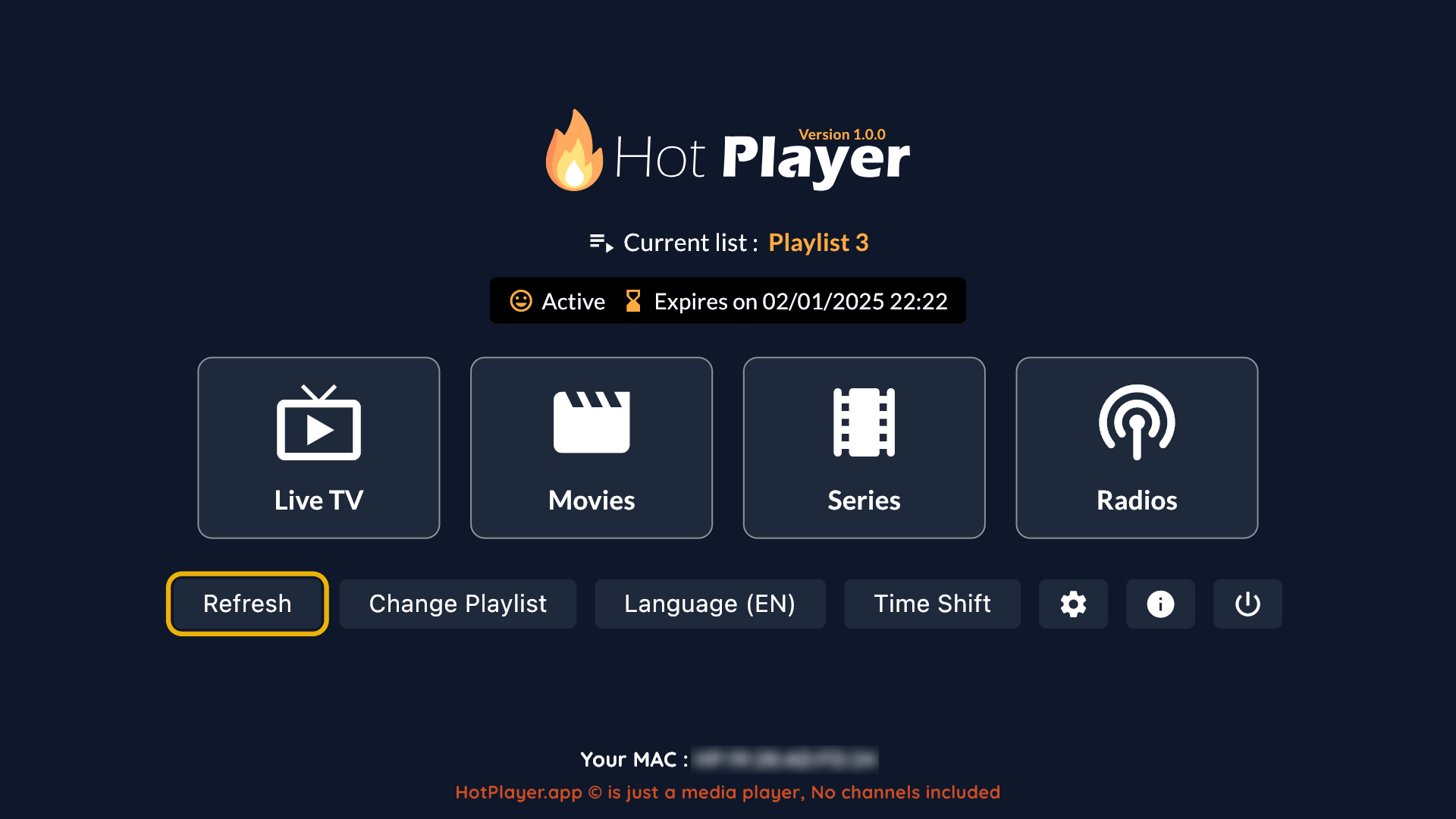
- Roku players and Roku TVs: Roku installs apps only from its own store. Hot Player is in that store, so a Roku works with a Hot Player activation (MAC-based, nothing to type with the remote).
- Phones, tablets and computers: apps such as IPTV Smarters or Hot Player on phones (Hot Player on the App Store for iPhone and iPad), and VLC or Hot Player on a Windows computer. See best IPTV player for Windows.
A newer player, GoTo Player, also works with our Indian IPTV subscription: you add the M3U link or Xtream Codes login from our welcome email, and it has no channels inside. It installs on Fire TV sticks with Fire OS (Downloader code 1129312), but not on the newest sticks with Vega OS, and on Android TV, Android phones and Windows 10 and 11.
For iPhone and iPad, we found GoTo Player in the App Store in the US, the UK, Canada and Australia on 15 November 2026; its website says it is not yet in the App Store in EU countries. It is free for 14 days on a TV, an Android phone or an iPhone. Install steps: our IPTV player for Firestick guide.
Tip: for a steady picture, keep your router close to the TV or use a network cable where your device has a port. If a channel keeps buffering, our IPTV not working guide lists the usual fixes.
Indian IPTV subscription plans, prices and payment
Every Indian IPTV subscription plan has the same channels and features, including all South Asia sections, and one connection by default. Plans are one-time payments in US dollars with no auto-renewal. Prices checked on 28 Oct 2026:
| Plan | Price | Months in total | About per month |
|---|---|---|---|
| 1 Month + 1 Free | $14 | 2 | $7.00 |
| 3 Months | $30 | 3 | $10.00 |
| 6 Months + 2 Free | $50 | 8 | $6.25 |
| 12 Months + 2 Free | $70 | 14 | $5.00 |
| Hot Player activation | $20 | Lifetime for 1 device, includes 1 month of IPTV | |
You pay on a secure checkout at gotoiptv.com with Cash App, Apple Pay, Google Pay, PayPal, Chime or crypto. In Canada you can also pay by Interac e-Transfer. Living in the UK, Australia or elsewhere and not sure which method works from your country? Ask us on WhatsApp before you pay.
Many families want two TVs at the same time, for example the living room and the grandparents’ room. Plans include one connection by default and there is no published price for more, so ask us on WhatsApp about extra screens. A Hot Player activation covers one device; each extra device needs its own. All plans in one place: IPTV subscription pricing.
How it works after payment
Getting started with your Indian IPTV subscription takes five steps:
- Pick a plan and pay on the secure checkout.
- Get your login by e-mail, usually within minutes after payment is confirmed: your username, password, and server URL or M3U link.
- Add it to your app. Type the Xtream Codes details or paste the M3U link. MAC-based apps such as Hot Player are linked to your device’s MAC address instead. Our IPTV setup guide shows each step.
- Find your language in the section list and add your channels to favorites, as shown above.
- Check your account any time. Your end date and days left are on the account check page, and you can extend your subscription with the same username and apps.

Login not accepted? Check for extra spaces and copy the server URL exactly as it is written in your e-mail. Not sure whether to use Xtream Codes or M3U? Read Xtream Codes vs M3U.
Indian IPTV subscription: FAQ
What does an Indian IPTV subscription include?
Our whole channel list, about 38,100 live entries as of 28 Oct 2026. The South Asia part has about 2,000 entries in sections for Hindi, Tamil, Telugu, Kannada, Malayalam, Marathi, Punjabi, Bengali and Gujarati, plus Pakistan, Bangladesh, Nepal and Sri Lanka (Sinhala). The numbers are rounded down and the list changes often.
Can I watch in Tamil, Telugu, Punjabi or another language?
Yes. Tamil, Telugu and Punjabi each have their own section in the list, and so do Hindi, Kannada, Malayalam, Marathi, Bengali and Gujarati. Open your language section in the app and add the channels you watch to favorites. If you need one specific channel, ask us on WhatsApp before you buy.
Can I use my Indian IPTV subscription in the UK, Canada or Australia?
Yes, the plans are the same wherever you live: you watch over your home internet in a player app. Prices are in US dollars, and in Canada you can also pay by Interac e-Transfer. Not sure which payment method works from your country? Ask us on WhatsApp.
Which devices can I use?
Firestick and Fire TV, Android TV boxes, Apple TV, Samsung and LG Smart TVs, Roku (with Hot Player), phones, tablets and computers. Our plans work with Xtream Codes, M3U and MAC-based apps.
How much does an Indian IPTV subscription cost?
From $14 for 1 month + 1 free month up to $70 for 12 months + 2 free months, which is about $5 a month. Every plan includes all sections and one connection by default. Hot Player activation is $20, lifetime for one device, with 1 month of IPTV included.
How do I check a channel before I buy?
Send us the channel name, its language or country and your device on WhatsApp. We check the current list and tell you whether it is there today. We do not promise any single channel, because the list changes often.
More guides: how to get IPTV · IPTV in 4K · cheap IPTV subscription · IPTV service guide.