
Blog
Best IPTV Server: 7 Simple Checks

Quick answer: the best IPTV server is the one that stays stable on your internet connection, at the hours you actually watch. Look for anti-freeze technology, servers that hold up during evenings and big matches, quick support and a fair refund policy, then test it yourself with a short trial before paying for months.
Table of Contents
What “best IPTV server” really means
IPTV sellers love to say they have the best IPTV server. The truth is simpler: a server is only “best” for you if it plays smoothly on your device, with your internet provider, when you watch. A server that is perfect at 10 a.m. can freeze at 9 p.m. on a Saturday when thousands of people are watching the same match.
So instead of trusting big promises, use the 7 checks below and a short trial. They take less than an hour and save you from paying for a long plan that does not work for you.
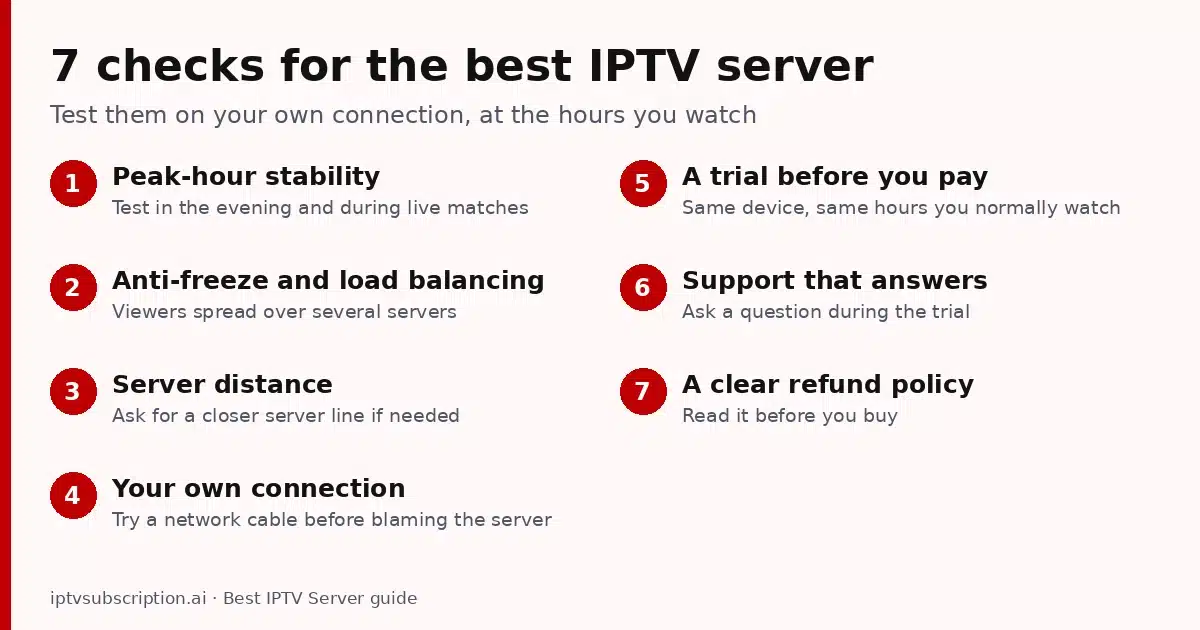
7 simple checks for the best IPTV server
1. Peak-hour stability
Test in the evening and during a live match, when the most people are watching. That is when weak servers freeze.
2. Anti-freeze and load balancing
Good providers spread viewers over several servers, so one busy server does not freeze your channel. Ask what they use; all our plans include anti-freeze technology.
3. Server distance
Streams that travel far take longer to reach you. If channels freeze while your internet is fine, ask support whether another server line is closer to you.
4. Your own connection
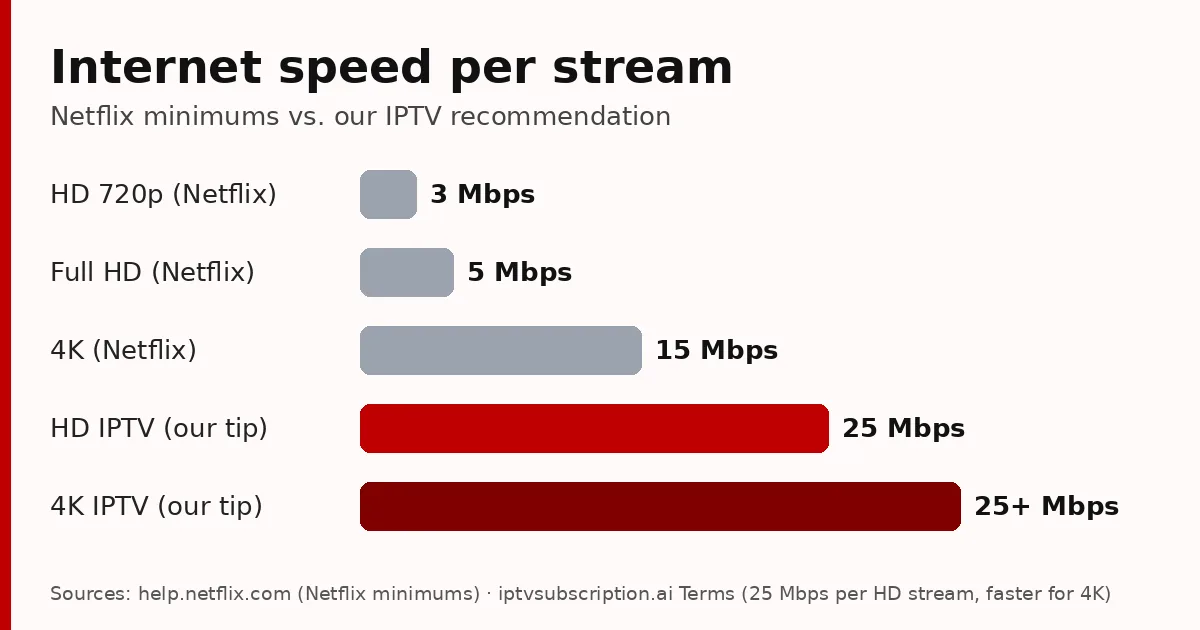
Many “server problems” are Wi-Fi problems. Check the speed table below and try a network cable before blaming the server.
5. A trial before you pay
A serious seller lets you test first. Use the trial on the same device and at the same times you normally watch.
6. Support that answers
Send a question during the trial and see how fast a real person replies. We answer on WhatsApp.
7. A clear refund policy
Read it before you buy. Ours is a 7-day money-back guarantee on eligible purchases.
How much internet speed does the best IPTV server need?
Even the best IPTV server cannot fix a slow connection. For comparison, Netflix recommends at least 3 Mbps for HD, 5 Mbps for Full HD and 15 Mbps for 4K. Live TV needs more headroom than on-demand video, so for our IPTV service we recommend at least 25 Mbps per stream for HD and a faster connection for 4K.
Two TVs watching at the same time need about twice the speed. Check yours on Speedtest.net, ideally from the TV or from a phone right next to it.
How to test an IPTV server during a trial
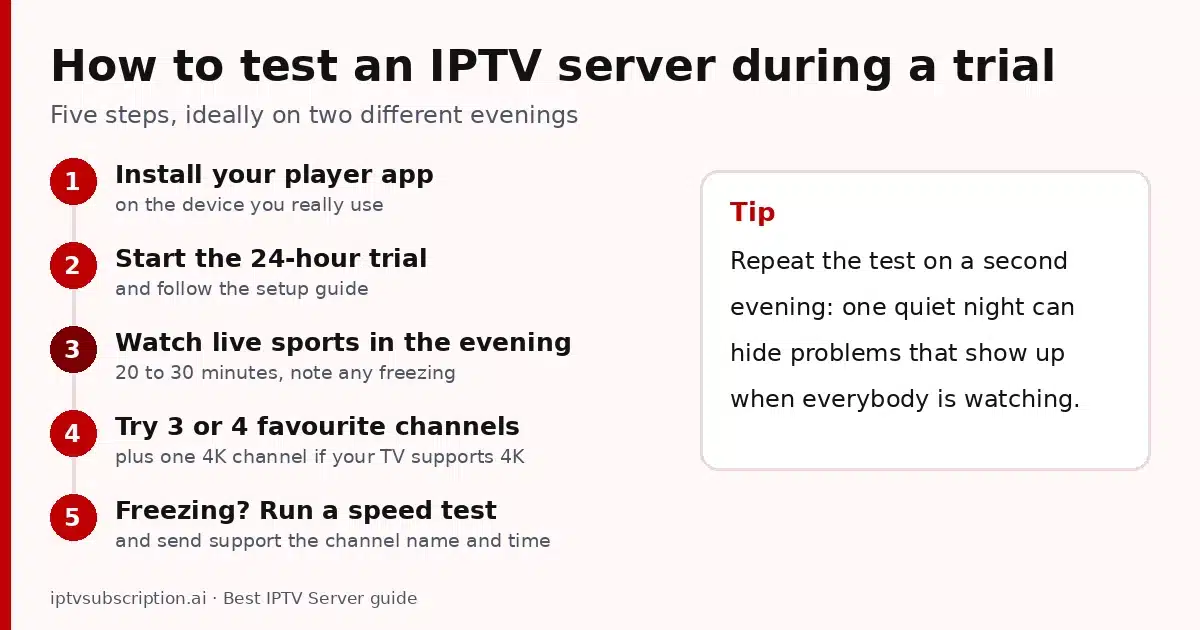
- Install your player app on the device you really use. We recommend Hot Player, but any IPTV app works.
- Start the 24-hour trial and follow the setup guide.
- Watch a live sports channel for 20 to 30 minutes in the evening and note any freezing.
- Try three or four channels you care about, and one 4K channel if your TV supports 4K.
- If something freezes, run a speed test and send support the channel name and the time.
If you can, repeat the test on a second evening: one quiet night can hide problems that show up when everybody is watching.
Buffering? Fix these first
IPTV stopped completely instead of buffering? Follow our IPTV not working checklist.
- Use a cable (Ethernet) for the TV or box if you can, or move the router closer.
- Restart the router and the device, and pause other streaming or big downloads.
- Update your player app to the latest version.
- If your internet provider slows down streaming at night, a VPN can help; see VPN for IPTV.
Red flags: when an IPTV offer is not worth it
A smooth trial is the most important test, but some warning signs are visible before you even start:
- “Lifetime” IPTV service for a small one-off price. Running servers costs money every month, so lifetime IPTV deals rarely last. (A lifetime activation of a player app such as Hot Player is different: the app has no servers or channels of its own.)
- A very cheap yearly price with “all channels in the world”. Overloaded servers are usually the reason streams freeze at night.
- No way to contact a real person, or support that only answers before you pay.
- No refund policy, or terms that are impossible to find.
- Only one unusual payment option and no clear receipt or order confirmation.
None of these alone proves a service is bad, but two or three together are a good reason to keep looking.
What to send support when a channel freezes
A good support team can only fix what it can see. Send these four things and you will usually get a real answer much faster:
- The channel name and the time it froze (and your time zone).
- Your device and app, for example “Fire TV Stick 4K, Hot Player”.
- A speed test result taken at the same time.
- Whether other channels play fine at that moment.
FAQ
What is the best IPTV server?
The one that stays stable on your internet connection at the times you watch, with real support and a fair refund policy. Test it with a trial before paying for a long plan.
Why does my IPTV freeze in the evening?
Evenings and big matches are peak hours: more people use the same servers and your internet provider’s network. Anti-freeze technology and a wired connection help a lot.
How much speed do I need for IPTV?
We recommend at least 25 Mbps per stream for HD and a faster connection for 4K.
Can a VPN make IPTV faster?
Only if your internet provider slows down streaming. A VPN adds a small delay, so test with and without it.
Comparing providers? Use our best IPTV service checklist. Ready to choose? Compare our IPTV plans and prices.